

 Piece of Cake: Merge & Bake
 TB World
 Hidden Object: Clues and Mysteries
 Good Sort Master: Triple Match
 Hidden Objects: Island Secrets
 Sprunki Sandbox: Ragdoll Playground Mode
 Sprunki World Online RP - Play with Friends!
 RIVALS FPS: Online Shooter
 Island Escape
 Mystery Dumpling Go: Merge IO
 Snake 2048
 Find the Frog - Hidden Objects



Geometry Dash: Dual Wave Editor
About Geometry Dash: Dual Wave Editor
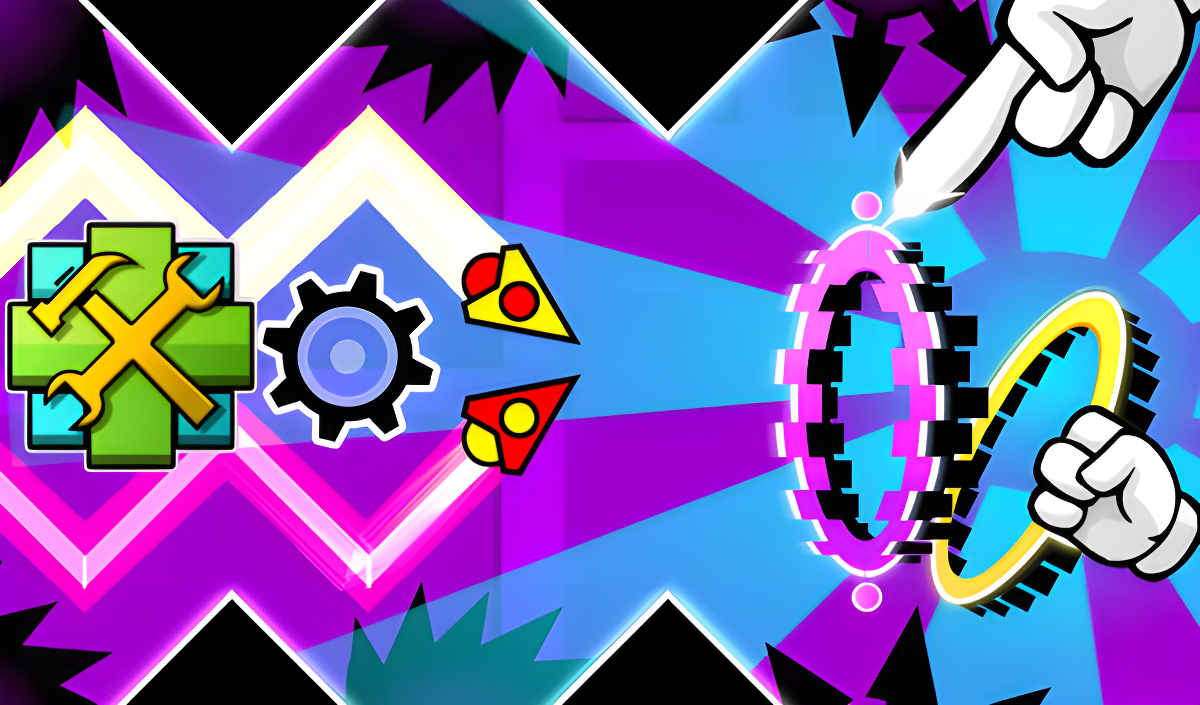
Geometry Dash: Dual Wave Editor puts a creative spin on the Dual Wave mode from Geometry Dash, handing you the tools to build levels entirely from scratch. Rather than running through someone else's course, you design the obstacles, portals, and paths yourself, then jump in and test whether your own creation can be beaten. The editor lets you combine blocks, saws, and portals in any configuration, targeting everything from breezy easy runs to genuinely impossible gauntlets.
Several scenes show sharp black triangles with white outlines lining the top and bottom edges of the play area. Oval rings with glowing neon borders in yellow, blue, and pink appear placed along the central horizontal corridor in multiple views.
How to Play Geometry Dash: Dual Wave Editor
The editor screen presents many buttons, each tied to a specific mechanic. Once you have placed your obstacles and portals, hit the Play button to run your level and put your Dual Wave control to the test.
The Dual Wave
During play you control two waves simultaneously — one moving diagonally down and the other diagonally up. Holding the left mouse button or pressing the phone screen reverses the direction of both waves. Use that toggle to steer through every obstacle you have placed.
Building Your Level
- Click the obstacle and portal creation button, select the image of the obstacle or portal you want, and it appears at the center of the screen.
- Drag any placed object with the left mouse button or your finger to position it anywhere on the level.
- Portals can modify the Dual Wave itself or change its speed, giving you a wide range of combinations to experiment with.
- The two-arrow button scrolls the screen so you are able to extend your level further.
- The gear-shaped button lets you change the background color.
- The trash can button deletes objects; when it lights up red, any object you click is removed.
Controls
- Hold LMB / Hold phone screen (during play): Reverse the direction of both waves
- LMB / Finger drag (in editor): Drag obstacles and portals to any position on the level
- Play button: Start playing your created level
- Obstacle/Portal button: Open the creation menu and place an obstacle or portal at the center of the screen
- Two-arrow button: Scroll the screen to build further along the level
- Gear-shaped button: Change the background color
- Trash can button: Delete objects (button lights red when active)
Games You Might Like
If the block-placing and spatial thinking in Geometry Dash: Dual Wave Editor appeals to you, Blockibo: Color Blocks offers a similarly methodical challenge where moving and positioning colored blocks unlocks new mechanics level by level. For more color-driven spatial puzzles, Color Block Pairs tasks you with connecting matching colors across a board full of frozen and linked blocks. Fans of quick, satisfying skill-based sessions can also explore Candy Crush Saga, a match-3 puzzle adventure built around chain reactions and combo planning.
Browse the full Puzzle games catalog for more creative and logic-driven titles, or check out Action games and Arcade games for fast-reflex experiences that share the obstacle-dodging energy of Dual Wave play.
Video