





























Draw and Color Pixel Pictures
About Draw and Color Pixel Pictures: Relaxing Pixel Color-by-Number Game
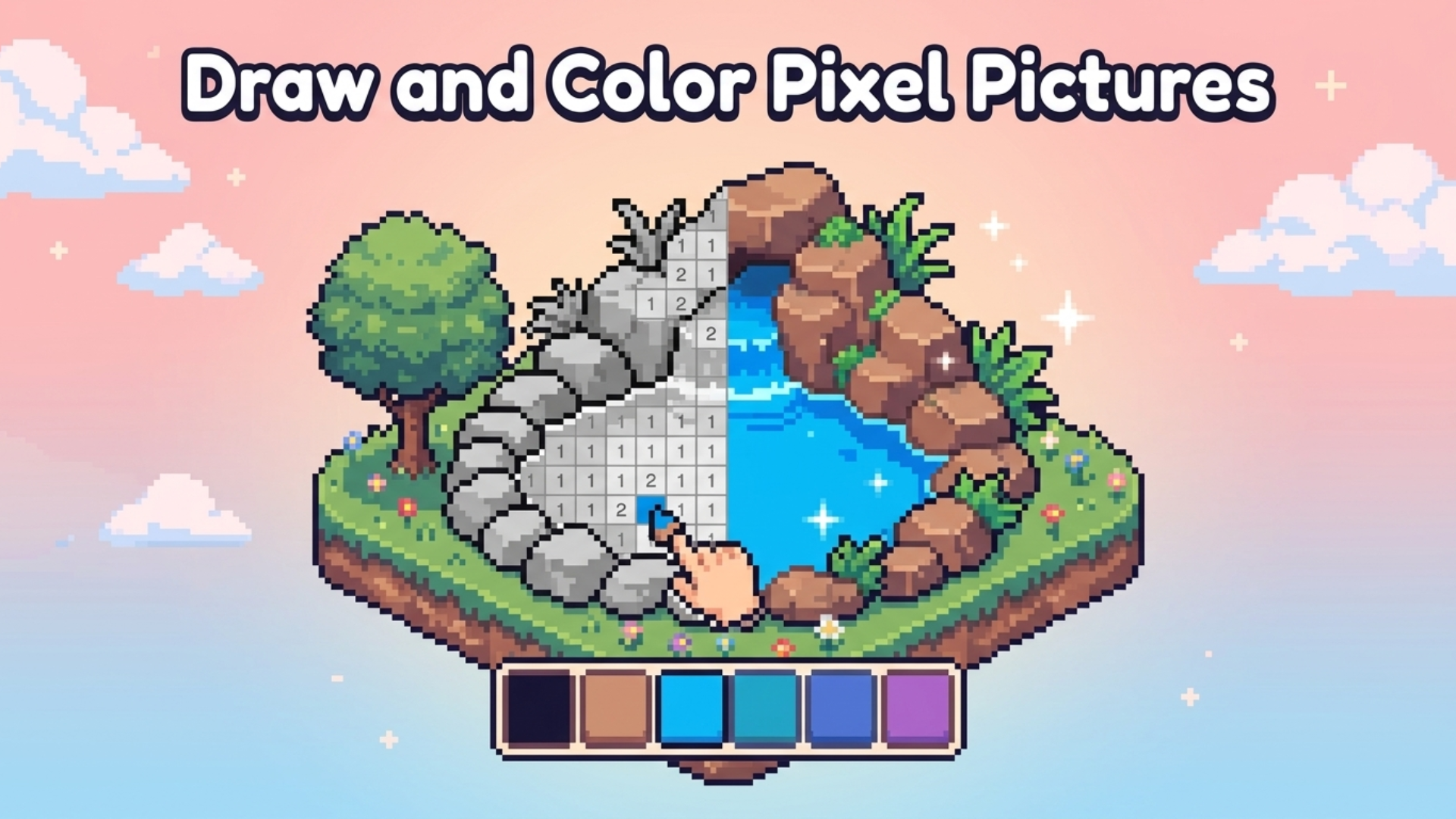
Draw and Color Pixel Pictures is a relaxing pixel color-by-number game where an entire level comes alive as you play. Grayscale objects fill each scene, waiting to be opened and painted cell by cell using numbered colors. Every completed object returns to the level in full color, making the surrounding scene progressively brighter. Several scenes show a small isometric garden with a green tree, a wooden bench, a pond, and flower beds enclosed by a white picket fence. Dark grey rounded clouds and small brown plus symbols appear scattered across pink and blue gradient backgrounds in several views. The experience is designed around anti-stress, ASMR-style focus — slowing down and concentrating in a pleasant pixel art format.
How to Play Draw and Color Pixel Pictures: Fill Images with Color Step by Step
Tap a grayscale object in the level to open it, or use the magnifying glass to locate one. Tap the pencil marker, select a numbered color, and paint every cell that shares that number. Fill all cells to send the completed, fully colored object back into the level. Color every object in a level to bring the whole scene to life. New locations with new elements unlock as you progress, gradually revealing the world pixel by pixel and uncovering a new story.
Game Modes
- Locations: color elements in the location to speed up the transition to the next fragment of the world.
- Create: create paintings from your own images — add a photo, adjust detail and color quantity, and enjoy coloring your own collection.
Power-ups / Abilities
- Hint: finds a cell with the selected number and highlights it on the field.
- Flood Number: fills all cells of the selected number.
- Auto Cell: fills one cell of the selected number.
- Bomb: fills an area with a radius of 8px.
Controls
- Left Click (Desktop): select an object, fill in pixels.
- Tap (Mobile): select an object, fill in pixels.
FAQ
How do hints and boosters fit into Draw and Color Pixel Pictures?
For each colored object you earn in-game currency, which can be exchanged for hints and boosters to speed up coloring. Daily rewards also provide in-game currency and hints of various levels.
Is there a leaderboard, and what drives your ranking?
The more pixels you color, the higher your position on the leaderboard.
Can progress be saved and resumed later?
Yes, the game supports saved progress so you are able to continue coloring from where you left off.
What does the Create mode let you do?
Create mode lets you add your own photo, adjust the level of detail and the number of colors, and then color the resulting pixel puzzle as part of your personal collection.
Are there daily rewards in the game?
Daily rewards expand your possibilities by providing in-game currency and hints of various levels, both of which are useful during gameplay.
Games You Might Like
If the calm, color-by-number rhythm of Draw and Color Pixel Pictures appeals to you, the broader cozy games collection on Playgama is a natural next stop, packed with similarly unhurried experiences. Cozy Coloring shares the same numbered-color mechanic and lets you build a personal gallery of completed artworks across animals, flowers, mandalas, and more. For something that mixes the booster-driven progression familiar from pixel coloring with a logic twist, Yarn Fever! Unravel Puzzle offers a soothing thread-sorting challenge with its own set of power-ups.
Explore more titles in the drawing games category for creative, freeform experiences, or browse the color games category for a wider range of color-focused puzzles and painting challenges.